Popup & onsite marketing engine

Anyone can draw a popup.
The hard part is deciding.

Twelve campaigns are live. One visitor arrives. Which popup shows β€” if any β€” has to be answered in the browser, in under a hundred milliseconds, without annoying them and without breaking the site it runs on. That engine is PulsePop.

Create a free account Open the builder

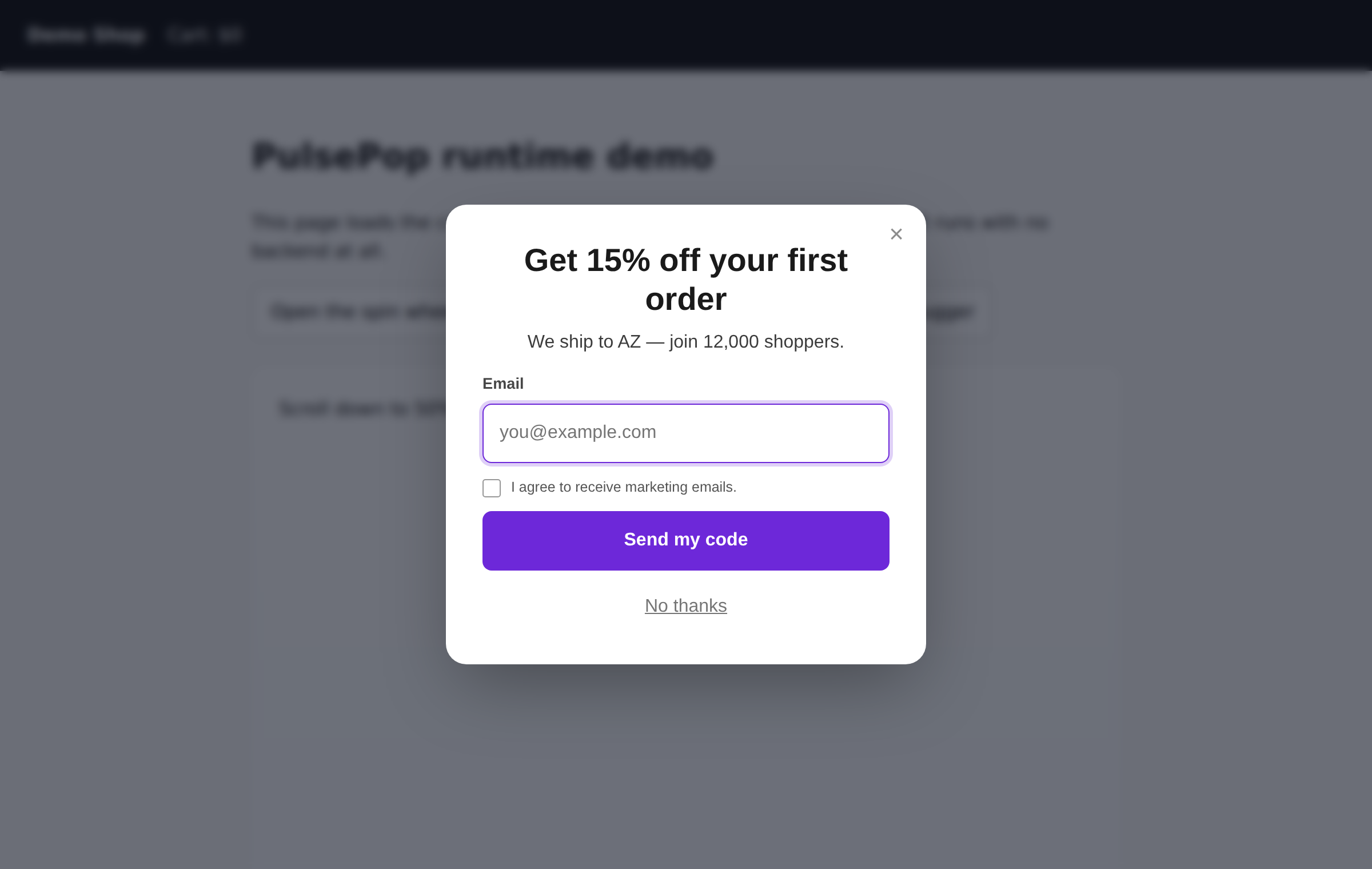
Every popup on this page is the real runtime. Nothing here is a video.

A PulsePop modal rendered over a shop page, with a blurred overlay and an email capture form.
Live, on this page

Press one. It is the shipped runtime.

Same 33 KB file a customer would embed, same shadow root, same decision pipeline. It is even enforcing its own frequency caps on you right now.

The decision engine

Six gates, cheapest first

Every gate records why it said no, and the on-page debugger prints that ledger verbatim. β€œWhy isn’t my popup showing” stops being a support ticket and becomes something the customer answers themselves.

01
Payload
Is there anything to render?
campaign has no variants
DROP
02
Schedule
Absolute window plus recurring hours β€” in the campaign’s timezone, not the visitor’s.
outside scheduled hours
DROP
03
Targeting
37 rule subjects, 19 operators, evaluated as an OR of AND-groups.
group 0: country eq "DE" (actual: "AZ")
DROP
04
Frequency
Session, day, week and lifetime caps; suppression after a close or a signup.
suppressed until 2026-09-17T09:26:26Z
DROP
05
Cooldown
A minimum gap between any two popups. This block expires by itself, so the campaign is held and re-presented β€” not lost.
global cooldown (6s left)
HOLD
06
Arbitration
Triggers firing within 60 ms are batched, then ranked: priority, then specificity, then recency. One winner renders.
SHOW

Gate 05 is the one most popup scripts get wrong. A trigger fires once per page view, so a campaign blocked by a cooldown that expires six seconds later is normally discarded for the rest of the visit β€” and the second campaign on a busy page silently never appears.

34 KBgzipped runtime
0.7 KBloader on the page
0npm dependencies
0build steps to install
The builder

The preview is the popup

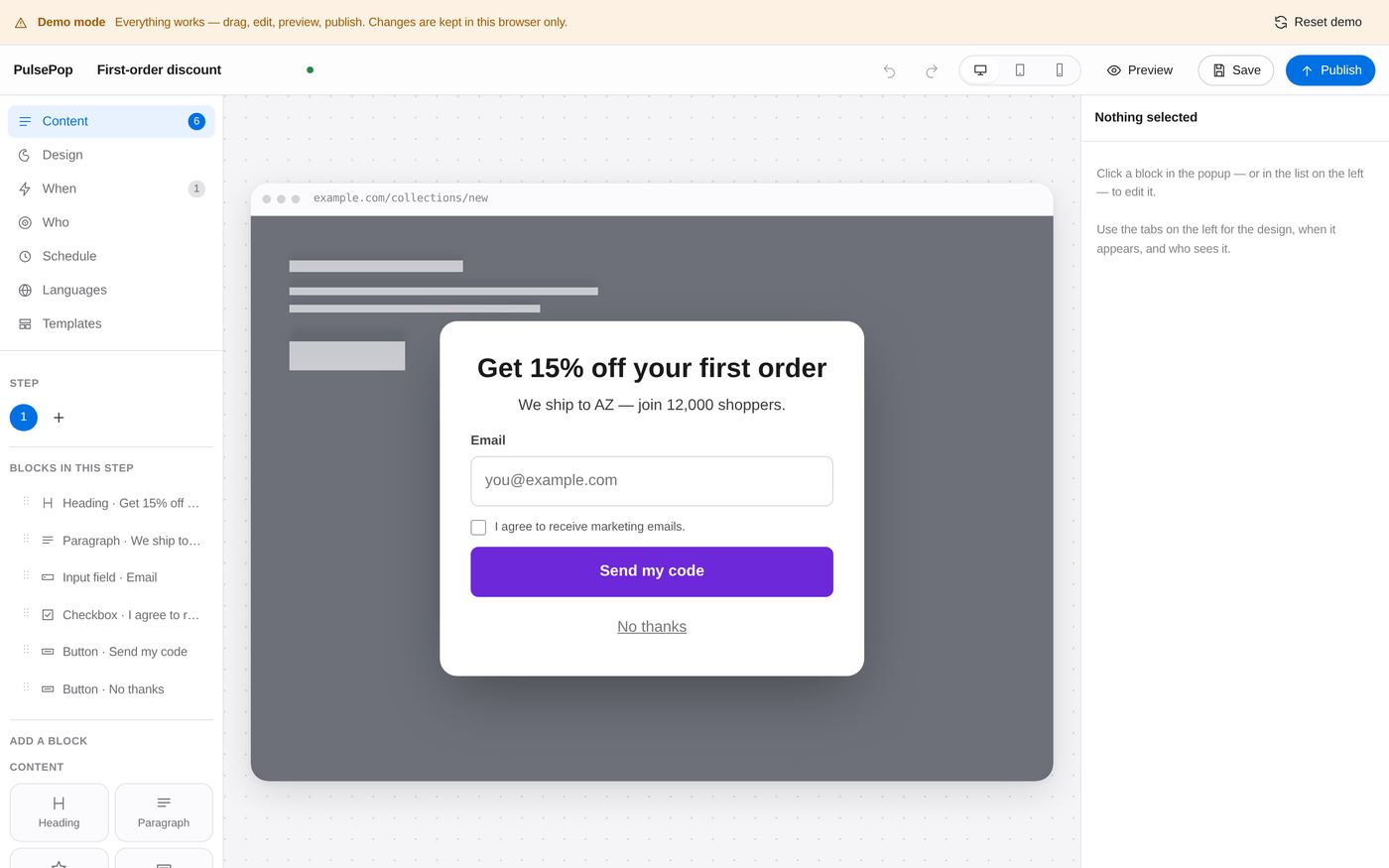
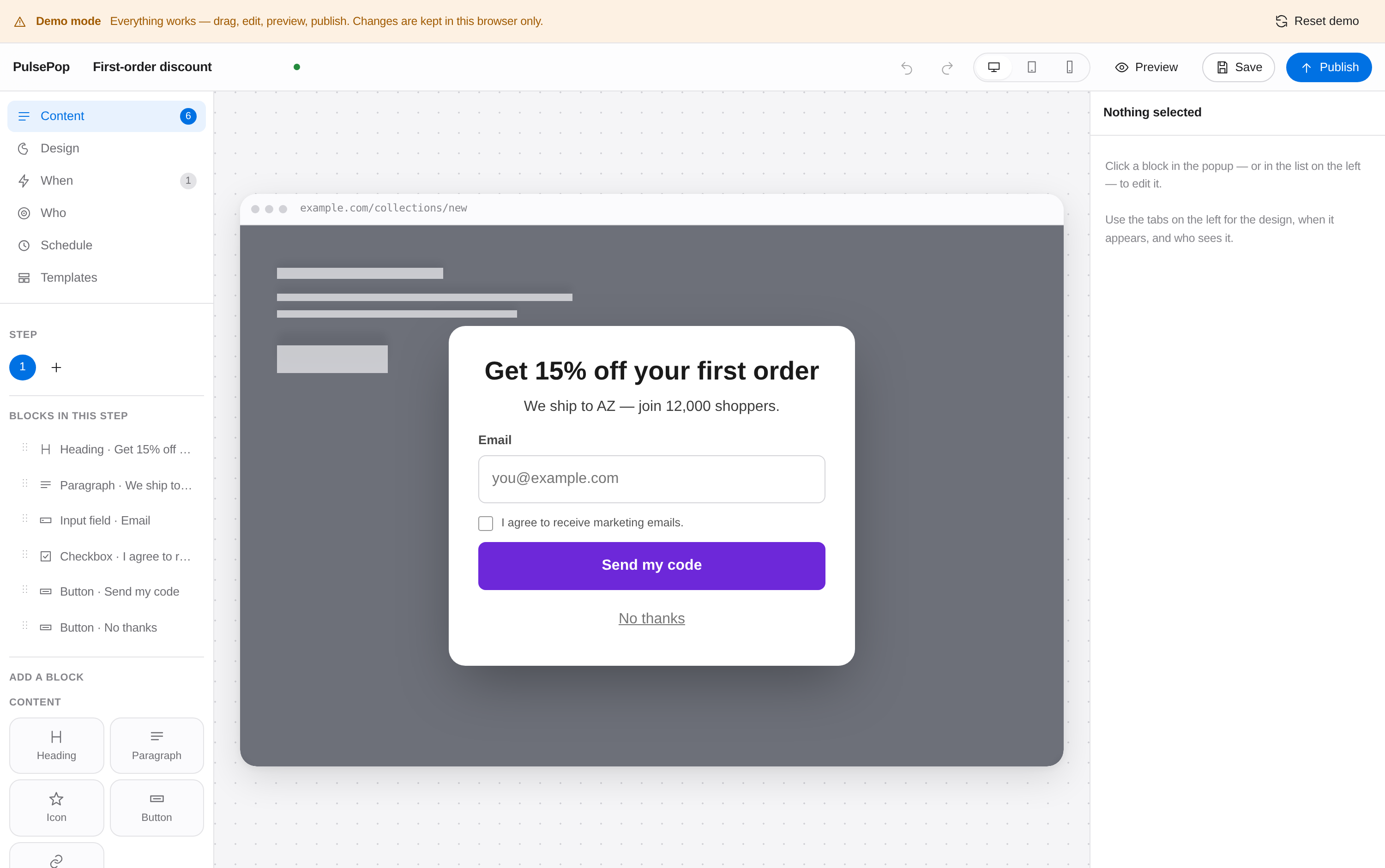
Most builders draw an approximation of your popup and hope it matches what ships. PulsePop’s canvas runs the actual renderer, in the actual shadow root, inside an iframe sized to the actual device β€” so 92vw and @media (max-width: 767px) mean what a phone means by them.

  • Drag and drop, 25 blocks, click-to-select in the popup itself
  • Design tokens that write the production stylesheet directly
  • Multi-step flows with branching choices
  • Undo that behaves: a burst of typing is one entry, not forty
  • Demo mode β€” the whole builder runs with no backend at all
Try the builder β†’
The PulsePop campaign builder: block palette and layer list on the left, the live popup on a device frame in the centre, and the block inspector on the right.
What you actually get

Every screen in the box

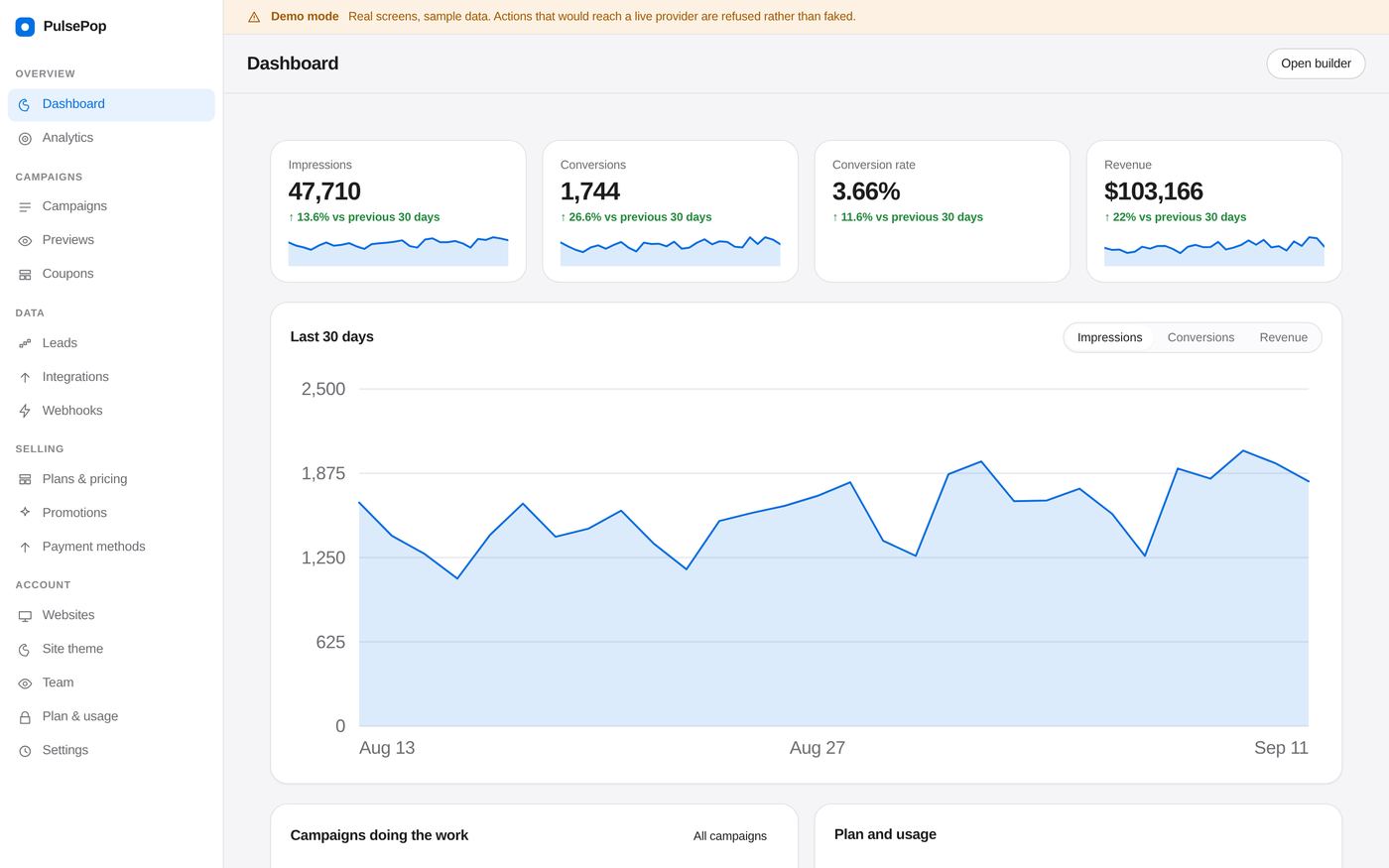
These are screenshots of the software, not mock-ups. The figures in them come from the sample dataset the demo ships with — open the demo and you will see the same numbers.

The PulsePop dashboard: impressions, conversions, conversion rate and revenue, with a 30-day chart.
Dashboard — the four numbers that matter, and what they did last month.
The campaign builder with a popup on the canvas and the block palette on the left.
Builder — the canvas runs the shipped renderer, not a preview of it.
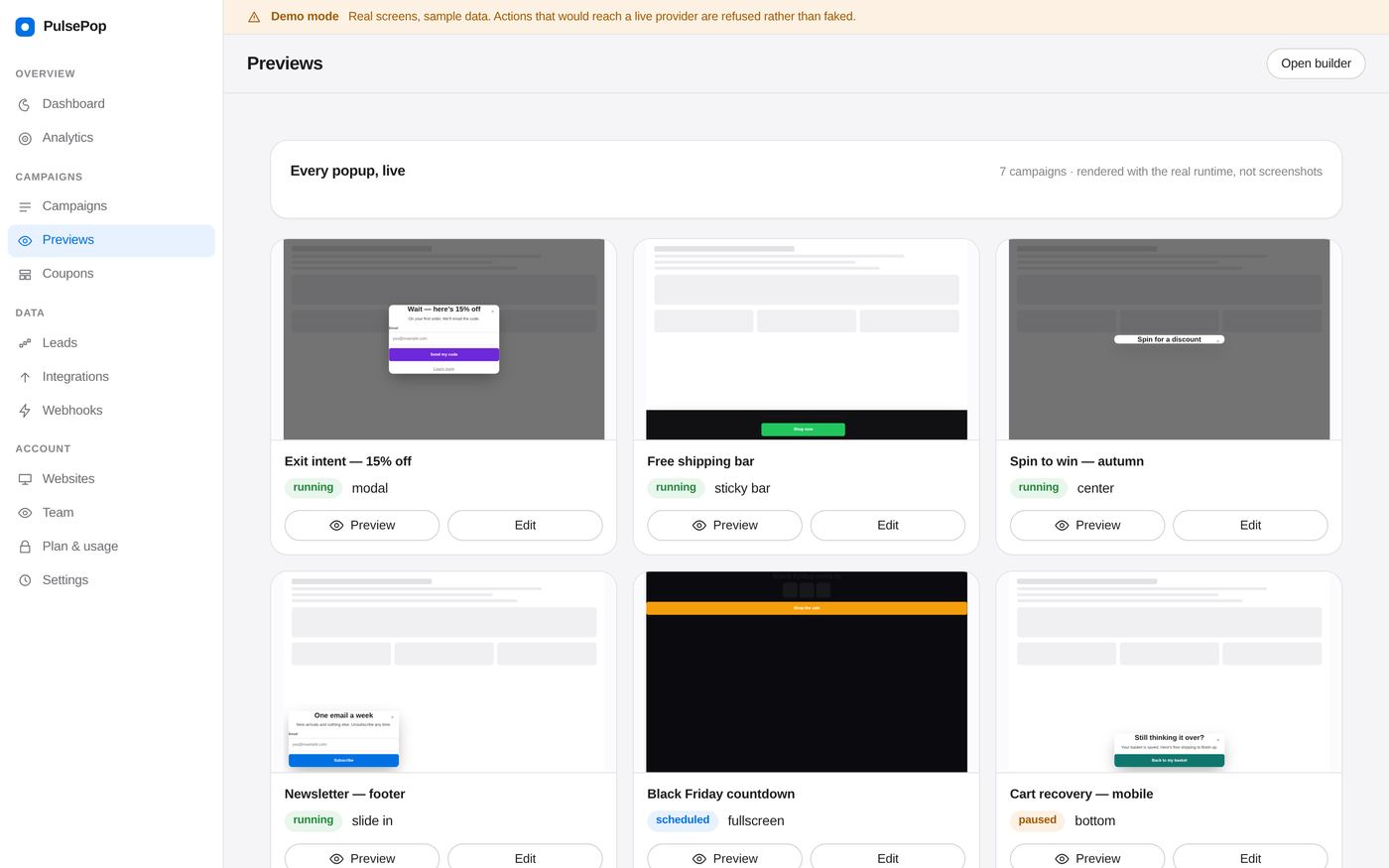
A grid of live popup previews, each rendered in its own frame.
Previews — every popup you own, rendered live, at once.
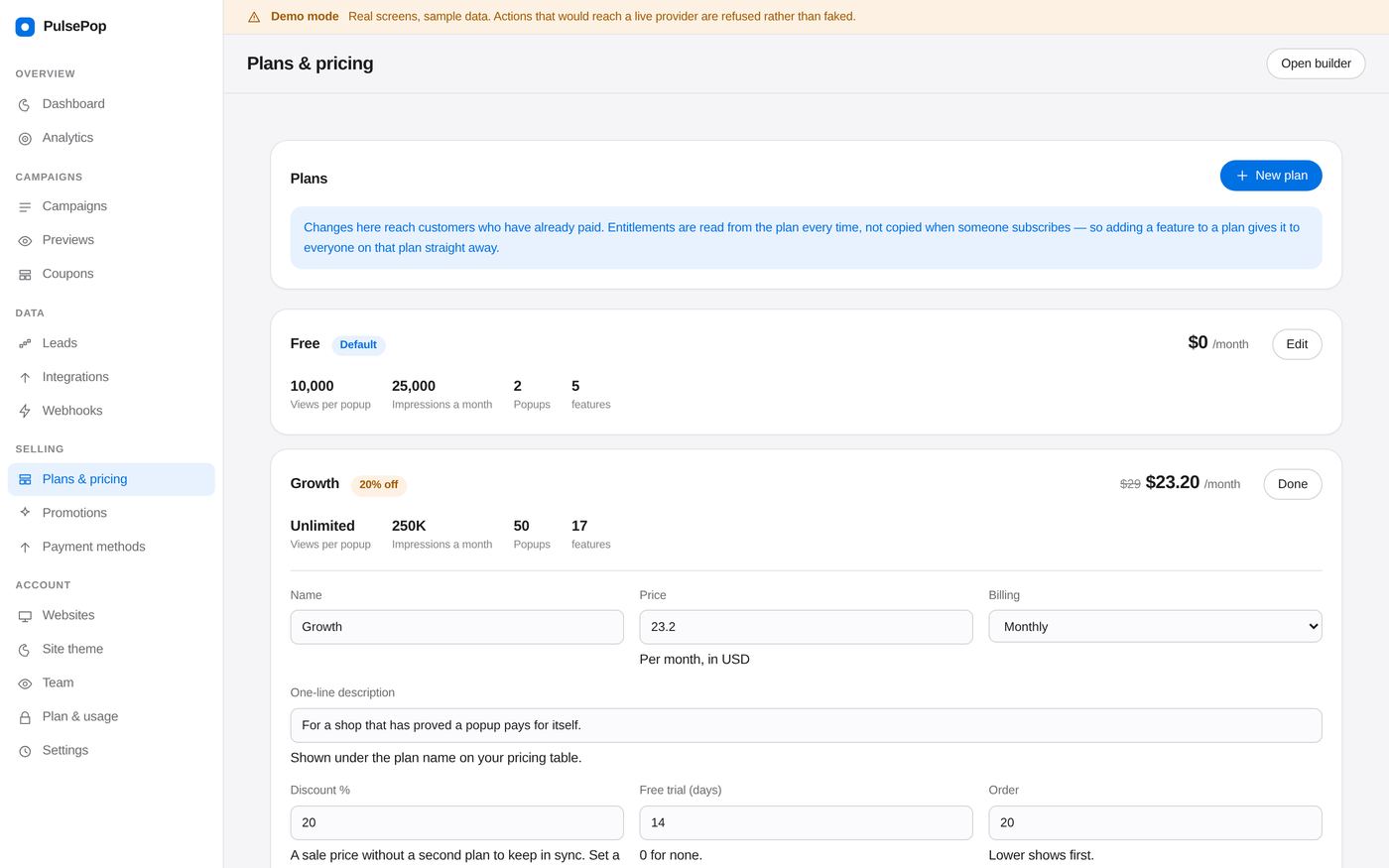
The plan editor, showing price, limits and a checklist of included features.
Plans — invent tiers, price them, move features between them.
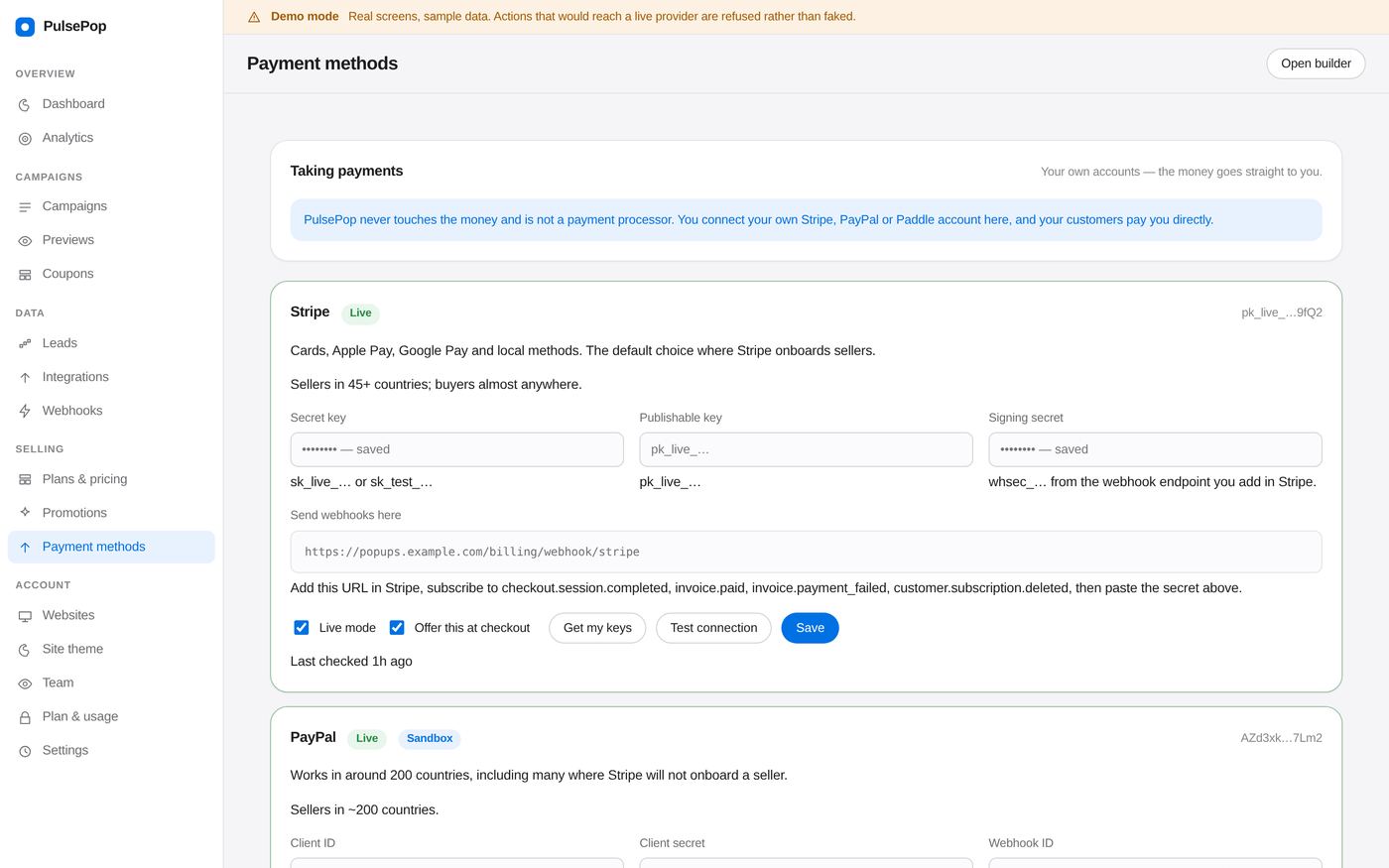
Payment method settings for Stripe, PayPal and Paddle with webhook URLs.
Payments — Stripe, PayPal and Paddle, connected with your own keys.
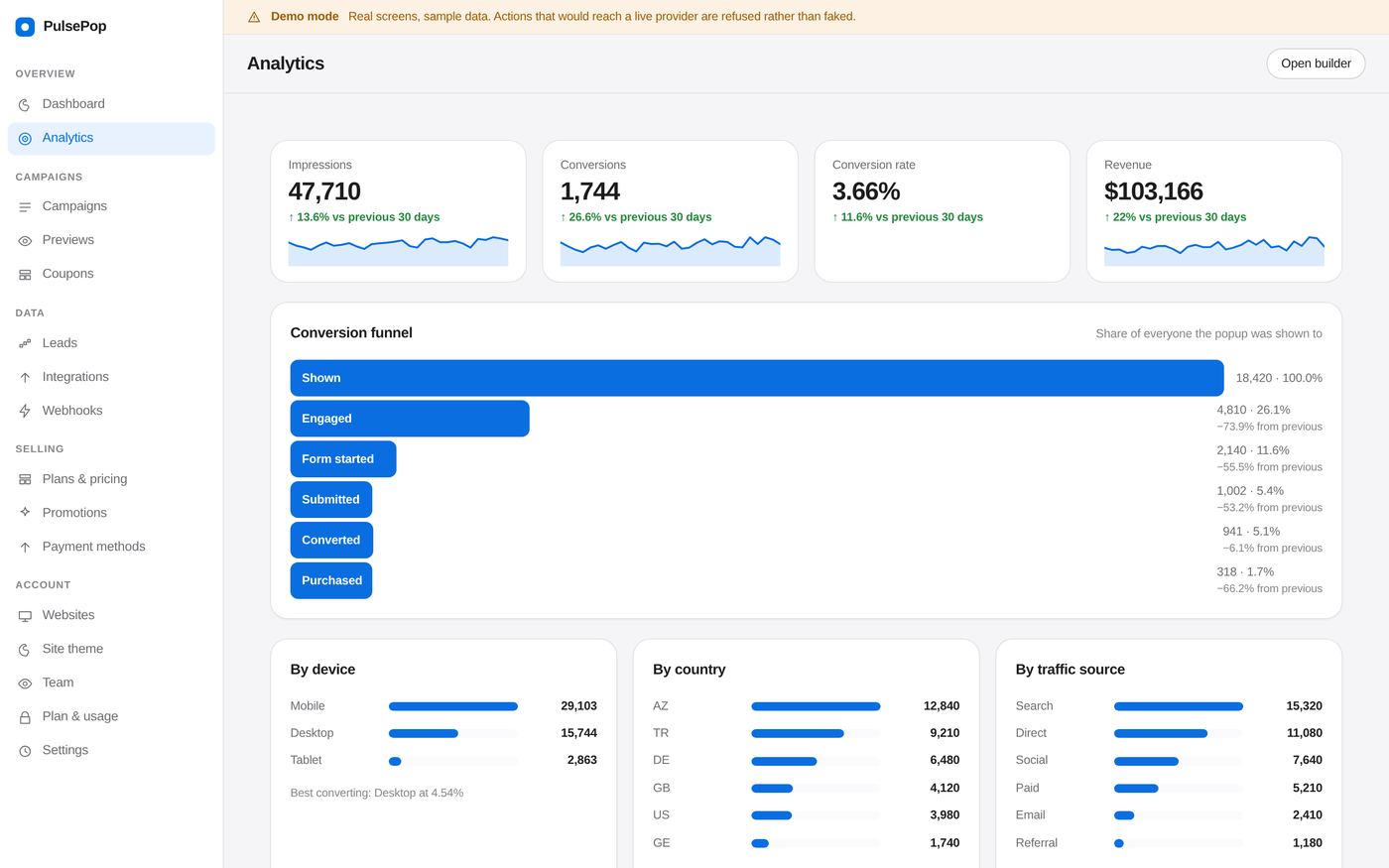
Analytics screens with a funnel and a breakdown by campaign.
Analytics — funnels, segments, and A/B results that refuse to call a winner early.
What is in the box

Everything a serious campaign needs

17

Formats

Modal, center, top, bottom, corner cards, sticky bar, slide-in, notification, side panel, drawer, fullscreen, lightbox, inline, floating, teaser.

11

Triggers

Delay, scroll depth, element visible, exit intent, click, inactivity, form abandonment, video progress, and manual. Exit intent is platform-specific and honest about it.

37

Targeting subjects

Page, traffic source, UTM, country, city, device, browser, visitor history, cart value, products, cookies, storage keys, custom properties, day and hour.

25

Content blocks

Headings, forms, images, video, countdowns, coupons, product cards, ratings, progress bars, social icons, spin wheel, scratch card, custom HTML.

A/B

Testing that refuses to lie

A two-proportion z-test. It will keep saying β€œnot enough data yet” for as long as that is the true answer, instead of naming a winner out of noise.

30

Database tables

Campaigns with versioning and rollback, visitors, a frequency ledger, pre-aggregated analytics, leads, coupons, prizes, integrations, webhooks.
Installation, in full

One line. No build step.

<script src="https://your-install.com/pp/loader.js"
        data-pp-key="pk_live_…" async></script>

The loader waits for first paint before fetching the runtime, so where you put it in the document does not affect page speed. Runs on PHP 8.2 and MySQL 8 β€” cPanel shared hosting included.

Where the leads go

Connected, or straight to your own endpoint

Signed webhooks with replay protection, retries at 30 s / 5 min / 30 min, and every attempt logged with the response body β€” so a customer can debug their own endpoint.

MailchimpKlaviyoHubSpot ActiveCampaignBrevoZapier WebhooksREST APIGA4 Google Tag ManagerShopifyWooCommerce
Licensing

Use it, or resell it

The same codebase runs single-site or multi-tenant. One environment variable switches the mode, and the schema is identical β€” so you can start on your own sites and turn it into a product later without a migration.

Regular
$79 one-off

For running popups on sites you own. Full source, full engine, the builder, and every integration.

  • Unlimited sites you own
  • Single-site mode, no billing UI
  • Six months of support
Questions

The ones that actually get asked

Will it break my theme?

It cannot reach it. Everything renders inside a shadow root, so the site’s CSS cannot style the popup and the popup’s CSS cannot leak onto the site. That single decision is the most common source of one-star reviews on popup scripts, and it is designed out rather than patched around.

Do I need Node, npm or a build step?

No. The runtime and the builder ship pre-built. Open a file, change a colour, upload it β€” nothing to compile. A build script is included for anyone who wants one, but nobody is required to run it.

What does it need on the server?

PHP 8.2, MySQL 8, and one cron entry. Redis is optional and only pays off past real traffic. It installs on cPanel shared hosting.

How does it handle GDPR?

IPs are truncated before storage, consent text and version are recorded with each lead, tracking can be gated behind an explicit consent call, and erasure removes the person while keeping the aggregate counts your reporting depends on.

Can visitors cheat the spin wheel?

No. The prize is drawn on the server inside a transaction with the prize rows locked, so weights are real and stock survives simultaneous spins. The wheel animation simply lands on the segment the server already chose.

What happens if the lead endpoint is down?

The submission is queued in the visitor’s browser and replayed on their next page view. They still see the success state β€” because from their side, it was one.

Open the builder. It runs with no backend.

Demo mode is fully interactive β€” drag, edit, preview and publish. Nothing to install, nothing to sign up for.

Try the builder β†’